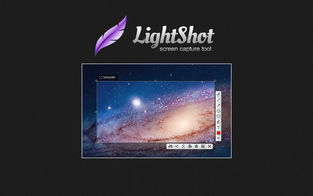
Do you want to take screenshots outside of your browser? Choose the most functional Lightshot download option in order to get this opportunity. This application allows you to take screenshots directly from your desktop.
LightShot Mac Version:
LightShot for MAC Allows you to capture any part of your Mac screen. After capturing you can upload picture to prntscr.com server and get nice short link like http://prntscr.com/9xf5w
You can share your screens via Twitter or Facebook. Lightshot allows you to search visual similar images over the Internet.
Lightning fast image editor allows you to add lines, arrows and text annotations as soon as you capturing.
Captured images could also be saved on your local hard drive or printed.
Download MAC version here
Google Chrome add-on
LightShot Google Chrome add-on will add a new button to your Google Chrome browser bringing all the Lightshot features in. Take a shot of whatever you can see on your screen, edit it right away or upload it to share with your friends.
LightShot Google Chrome add-on Download
Fast screenshot of selected area
LightShot allows you to select any area on your desktop and take its screenshot with 2 button-clicks.
Easy-to-use application
Simple and intuitive user interface makes your work with the app easier and faster.
Share screenshots via Internet
Upload your screenshot to the server and get its short link right away.
Powerful editors
You can edit screenshots instantly when taking them or later using a powerful online editor.
Similar image search
Find similar images. Select any image on your screen and find dozens similar images.
Various Platforms
Lightshot is available for Windows/Mac, Chrome, Firefox, IE & Opera.
LightShot screen capturing tool runs on
Windows 10/11
and is available under the
Freeware
license
— the installer is 2.6 MB.
We’ve catalogued it under
Graphics Editing and Painting.
Help fellow users decide. Share your experience with LightShot screen capturing tool.