Overview
What is NFTP?
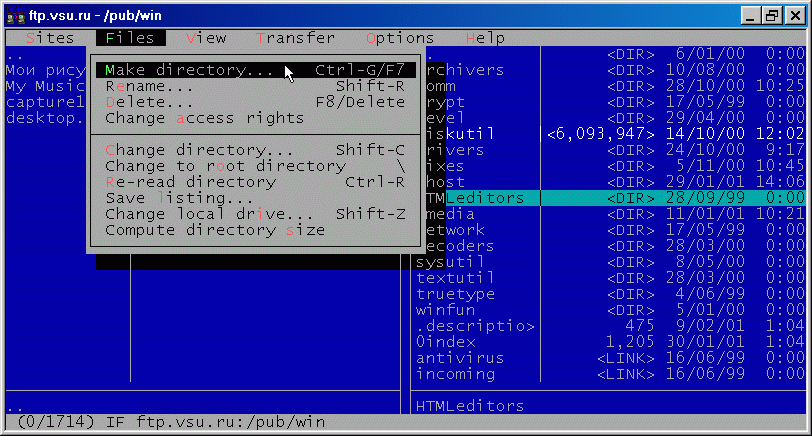
Easy-to use fullscreen FTP client with interface similar to Norton Commander. Available in 20 languages, under several operating systems. Supports transfer resume, directory tree downloads. Includes scripting, extensive firewall support and more.
In depth
A closer look at NFTP
Easy-to use fullscreen FTP client with interface similar to Norton Commander. Available in 20 languages. Versions for 32-bit Windows, OS/2, BeOS, Linux, Unix. Major features: transfer resume, automatic reconnect, secure authentication, extensive firewall and proxy support, support for many server types, built-in FTP search, mirroring, preserving timestamps and access rights, control connection history, downloading invisible files, mouse support, highly customizable interface, compehensive progress indicator, editing files on remote server, computing size of the subtree on server, built-in file viewer, bookmark system with folders, full site/directory history, one-key login to URL in clipboard, scripting capabilities, password caching, logging, can run in the background (Unix), displaying/storing file descriptions.
Verdict
Should you download NFTP?
NFTP runs on
Windows 95/98/Me/NT/2000/Windows 10/11
and is available under the
60-day Trial
license
— the installer is 600 KB.
We’ve catalogued it under
FTP Clients.
✓
Verified clean. Every NFTP build on SoftLookup is scanned for viruses, spyware, adware, trojans and backdoors. We re-test on every update.
Sponsored
At a glance
NFTP specifications
- Last updated
- Feb 17, 2025
- License
- 60-day Trial
- Operating system
- Windows 95/98/Me/NT/2000/Windows 10/11
- File size
- 600 KB
- Price
- $25
- Page views
- 471
Help fellow users decide. Share your experience with NFTP.