Overview
What is Easy Screen Capture And Annotation?
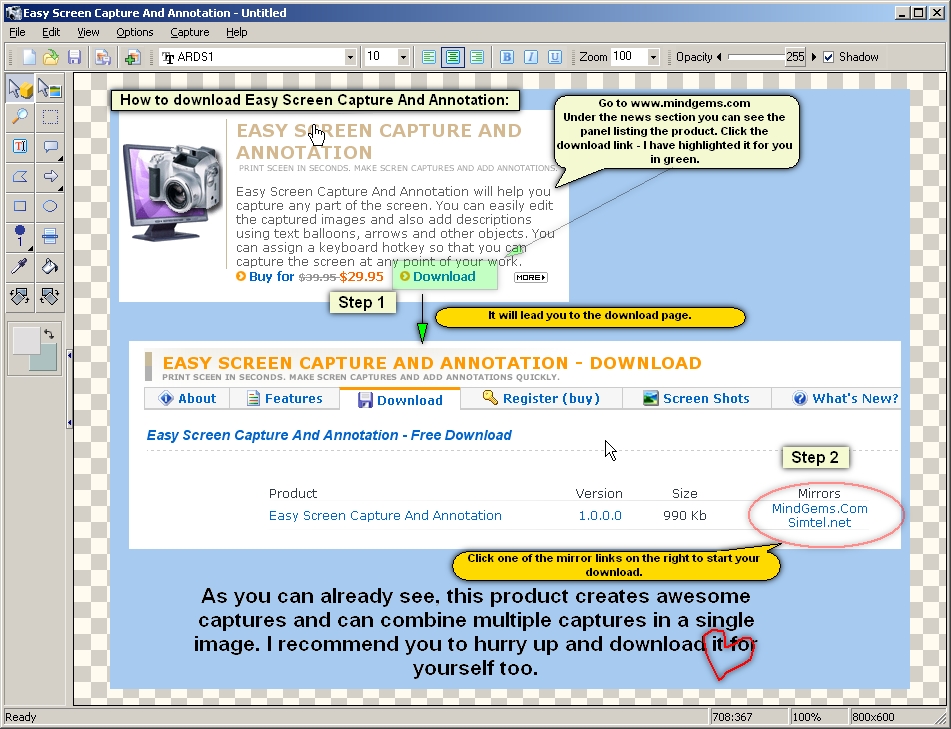
Easy Screen Capture and Annotation lets you capture and annotate any part of the screen.You can easily create explicit and stylish captures by editing the captured images and also adding descriptions using text balloons, arrows and other objects.
In depth
A closer look at Easy Screen Capture And Annotation
Easy Screen Capture and Annotation lets you capture and annotate any part of the screen. The main goal of the product is to speed up the capture and editing process saving you valuable time by automating repetitive tasks. Selecting a region directly on the screen or pointing only a menu, window or control at the moment of capture is just one of those features that will accelerate your workflow. You can easily create explicit and stylish captures by editing the captured images and also adding descriptions using text balloons (callouts), arrows and other objects. The assignable keyboard hotkeys let you capture the screen instantaneously at any point of your work. A rich and intuitive interface provides you with the common features available in the leading image processing products. Those include cropping, resizing, painting, drawing shapes, filling with colors, different image effects, transparency, shadows and many more. You have the power of image processing software and a screen capture utility in a single lightweight product. It will help you to create dazzling captures with as little effort as possible and save them in all known popular image formats. The product is easy for the novice users, and yet powerful enough for the advanced ones.Supports huge ammount of image formats:JPEG Bitmap (*.jpg;*.jpeg;*.jpe)
Requirements
System requirements
Pentium-133 or better 32 Mb Ram 2 mb Hdd space Hi-Color display
Verdict
Should you download Easy Screen Capture And Annotation?
Easy Screen Capture And Annotation runs on
Windows 10/11
and is available under the
Demo
license
— the installer is 1261 KB.
We’ve catalogued it under
Screen Capture.
✓
Verified clean. Every Easy Screen Capture And Annotation build on SoftLookup is scanned for viruses, spyware, adware, trojans and backdoors. We re-test on every update.
Sponsored
At a glance
Easy Screen Capture And Annotation specifications
- Last updated
- Feb 16, 2025
- Requirements
- Pentium-133 or better 32 Mb Ram 2 mb Hdd space Hi-Color display
- License
- Demo
- Operating system
- Windows 10/11
- File size
- 1261 KB
- Price
- $29.95
- Page views
- 608
Help fellow users decide. Share your experience with Easy Screen Capture And Annotation.