What is CCleaner?
CCleaner is a free PC optimization tool developed by Piriform (now part of Avast) that has been downloaded over 2.5 billion times worldwide. First released in 2004, CCleaner has become the gold standard for clearing temporary files, browser caches, broken registry entries, and the digital clutter that slows Windows computers down over time.
Unlike aggressive "registry cleaners" that can damage your system, CCleaner takes a conservative, audited approach to system cleaning — making it safe enough for everyday users while still powerful enough for IT professionals.
The cleaning tool that set the standard — twenty years on, still the first install on a fresh Windows machine.
Key features of CCleaner 2026
The 2026 release sharpens the tools that made CCleaner indispensable while modernizing the interface for Windows 11.
One-Click Cleaning
Scan and remove gigabytes of junk in seconds — temp files, caches, log files, Windows leftovers.
Privacy Protection
Clear browsing history, cookies, and saved sessions across Chrome, Firefox, Edge, Opera, and Brave in one sweep.
Registry Cleaner
Identify and fix broken shortcuts, missing DLL references, and obsolete keys to reduce errors.
Software Uninstaller
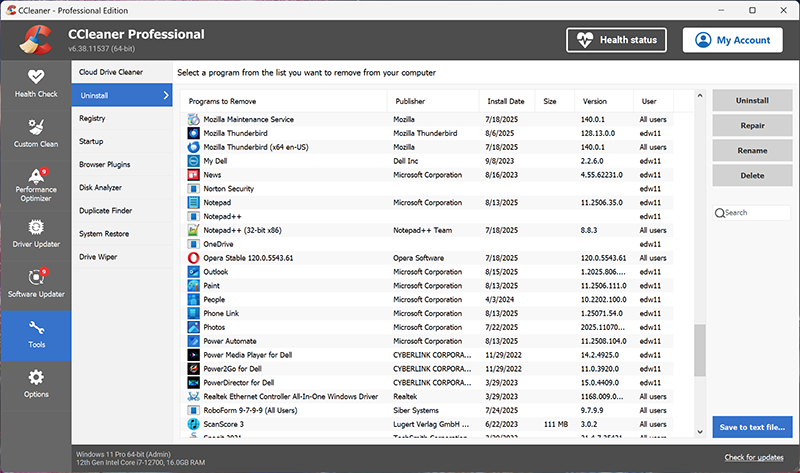
Remove unwanted programs more thoroughly than Windows' built-in uninstaller — including stubborn leftovers.
Startup Manager
Disable bloatware that launches at boot to dramatically reduce Windows startup time.
Duplicate File Finder
Locate and delete identical copies of photos, music, and documents wasting drive space.
Drive Wiper
Securely overwrite free space or entire drives so deleted files cannot be recovered.
Health Check
Automated wizard that scans for privacy, speed, and security issues with one click.
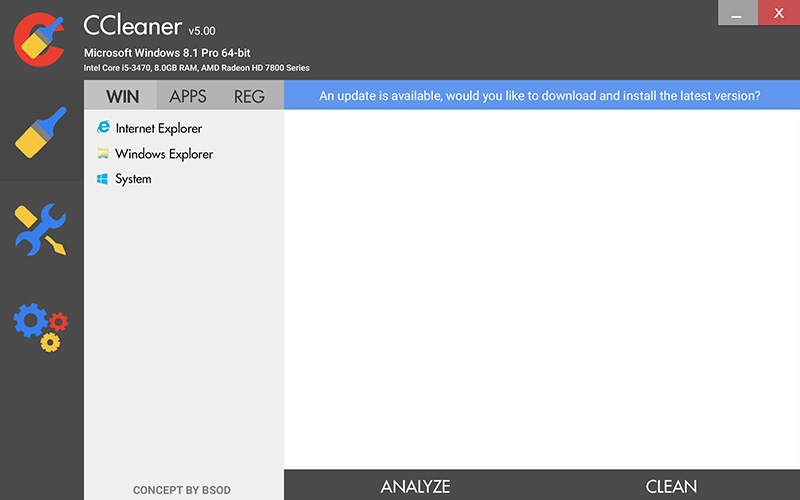
Why download CCleaner from Softlookup?
Every CCleaner installer hosted on Softlookup is the official, unmodified release from Piriform. We verify checksums against the publisher's signed releases, scan every build with multiple antivirus engines, and never bundle third-party adware, toolbars, or PUPs (Potentially Unwanted Programs). Our download links use HTTPS encryption end-to-end.
System requirements
| Operating System | Windows 11, Windows 10, Windows 8.1, Windows 7 SP1 (32-bit and 64-bit) |
|---|---|
| Processor | 1 GHz or faster |
| RAM | 512 MB minimum (1 GB recommended) |
| Disk Space | 100 MB free |
| Browser support | Chrome, Firefox, Edge, Opera, Brave, Vivaldi |
How to install CCleaner
- Click Download CCleaner Free above to save the installer (
ccsetup.exe) to your Downloads folder. - Double-click the installer and approve the User Account Control (UAC) prompt.
- Choose your preferred language and click Install.
- When installation completes, click Run CCleaner to launch the application.
- Click Health Check for a guided first-time scan, or jump to Custom Clean for advanced control.
CCleaner Free vs. CCleaner Professional
The free version includes all core cleaning, privacy, and optimization features and is sufficient for most home users. Professional adds automation and premium support.
CCleaner Free
- One-click junk file cleaning
- Browser & privacy cleaning
- Registry cleaner
- Startup manager
- Software uninstaller
- Health Check wizard
CCleaner Professional
- Everything in Free, plus —
- Real-time monitoring
- Automatic browser cleaning
- Scheduled cleaning
- Automatic software updates
- Priority technical support
Frequently asked questions
Is CCleaner free?
Yes. CCleaner Free is fully functional and free for personal use, with no time limit and no watermark. CCleaner Professional adds real-time monitoring and automated cleaning for $24.95/year.
Is it safe to download CCleaner from Softlookup?
Yes. Softlookup hosts only the official, signed installer from Piriform, scanned with multiple antivirus engines and verified by checksum. We never bundle adware or modify the original installer.
Does CCleaner work on Windows 11?
Yes. CCleaner is fully compatible with Windows 11, Windows 10, Windows 8.1, and Windows 7 SP1, in both 32-bit and 64-bit versions.
Will CCleaner delete my important files?
No. By default, CCleaner only targets temporary files, caches, and known junk locations. It will never touch your documents, photos, or installed programs unless you explicitly choose to use the Drive Wiper or Uninstaller features.
Does CCleaner really make my computer faster?
CCleaner can noticeably improve performance on systems with full disks, bloated startup lists, or years of accumulated browser data. The Startup Manager in particular often reduces boot times by 30–60%.