What is JDownloader?
JDownloader is a free, open-source download manager developed by AppWork GmbH and a global community of contributors. Released in 2009 as a successor to the original JDownloader, the current JDownloader 2 remains one of the most capable download managers ever shipped — handling thousands of file-hosting services, video platforms, and direct HTTP/FTP links with equal ease.
Where browser downloaders give you a single progress bar and a Cancel button, JDownloader gives you a queue, a scheduler, a captcha solver, an archive extractor, a clipboard monitor, and a plugin system that adapts to whatever obscure host you point it at. It's the tool you graduate to when downloads stop being incidental and start being part of how you work.
Core features
Automatic link extraction
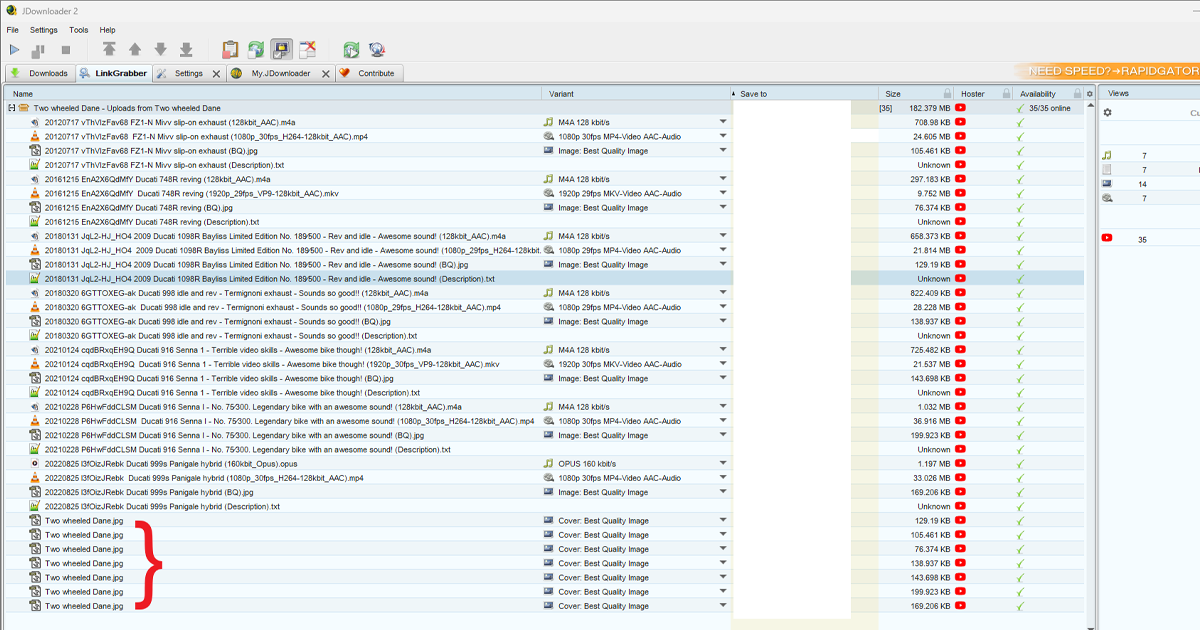
Paste a single URL or a list, and JDownloader parses, deduplicates, and groups the files automatically.
Multi-connection downloading
Splits each file into parallel chunks for maximum throughput, with per-host connection limits.
Pause & resume
Stops and restarts downloads cleanly across reboots and network changes, where the source server allows it.
Built-in extraction
Auto-unpacks RAR, ZIP, and 7Z archives the moment they finish downloading.
Bandwidth control
Set hard speed caps, schedule throttling for off-hours, and prioritize specific downloads on the fly.
CAPTCHA recognition
Handles many CAPTCHA types automatically; falls back to a queued manual prompt for the harder ones.
Plugin ecosystem
Community-maintained plugins for 300+ file hosts and 110+ video sites, updated continuously.
Headless mode
Run on servers and NAS boxes via the MyJDownloader web interface — control your downloads from anywhere.
Supported hosts & platforms
JDownloader's plugin system is the reason power users stay loyal — there's almost no link you can throw at it that it doesn't recognize.
Recognized at a glance
Popular file hosts: Mega · Mediafire · Rapidgator · Uploaded · 1fichier · Turbobit · Nitroflare · Filefactory · Wetransfer
Direct protocols: HTTP · HTTPS · FTP · FTPS · SFTP
Who should download JDownloader?
JDownloader rewards users who download a lot. If you only download an occasional file, your browser's built-in downloader is sufficient — but if you find yourself wrestling with broken downloads, capped speeds, or scattered links, JDownloader will transform your workflow.
Power users
Anyone who downloads dozens of files weekly and wants queueing, scheduling, and reliability that browsers don't offer.
Content creators
Editors and producers pulling source material from multiple platforms — JD handles batching and naming intelligently.
Archivists
Long-running projects where you need pause, resume, and headless server operation via MyJDownloader.
Researchers
Datasets, papers, and assets scattered across hosts — JDownloader pastes a list and grinds through it overnight.
System requirements
| Operating System | Windows 11, 10, 8.1, 7 · macOS 10.13+ · Most Linux distributions |
|---|---|
| Architecture | x64 (primary), x86, ARM64 (Linux) |
| Java Runtime | Bundled with installer — no separate Java install required |
| RAM | 1 GB minimum (2 GB recommended for heavy queues) |
| Disk Space | ~250 MB for installation, plus storage for downloads |
| Network | Any broadband connection |
How to install JDownloader
- Click Download JDownloader Free above and select your operating system from the platform toggle.
- Run the installer and approve the operating system's security prompt (UAC on Windows, Gatekeeper on macOS).
- Choose your install destination and language — the default settings work for most users.
- Important: When prompted with optional third-party offers during setup, decline them. JDownloader itself remains clean.
- On first launch, JDownloader will check for plugin updates automatically. Allow this to finish before adding your first link.
- Copy any download URL and watch the Link Grabber detect it within seconds — JDownloader is now ready to use.
Three power-user tips
1. Set up MyJDownloader for remote control
Create a free account at my.jdownloader.org, link your installation, and you can add downloads from your phone or any browser worldwide. Genuinely useful for adding overnight downloads while away from your desk.
2. Use the LinkGrabber's container imports
Beyond pasting URLs, JDownloader natively imports .dlc, .ccf, and .rsdf container files — handy for forums and archive sites that distribute large link sets.
3. Throttle by schedule, not by hand
Open Settings → Bandwidth Limit and set a schedule that frees full speed overnight while throttling during work hours. The single best quality-of-life feature in JDownloader, and almost nobody finds it.
Frequently asked questions
Is JDownloader free?
Yes. JDownloader is open-source software released under the GPL v3 license. It is completely free with no premium tier, no time limit, and no nag screens.
Does JDownloader work on macOS and Linux?
Yes. JDownloader is built on Java and runs on Windows, macOS, and Linux with an identical interface and feature set across all three platforms.
Is JDownloader safe to install?
Yes, when downloaded from a trusted source. The Softlookup installer is verified against AppWork's signed release. During installation, decline any optional third-party offers from the official installer to keep the install clean.
What file hosts does JDownloader support?
JDownloader supports over 300 file-hosting services including Mega, Mediafire, Rapidgator, Uploaded, and dozens more, plus 110+ video platforms. The plugin community keeps the list updated weekly.
Can JDownloader resume broken downloads?
Yes. JDownloader resumes downloads after system reboots, network interruptions, and even multi-day pauses without restarting from zero — provided the source server supports resume.
Why does JDownloader need Java?
JDownloader is written in Java, which makes it cross-platform. The installer bundles its own Java runtime, so you do not need to install Java separately.